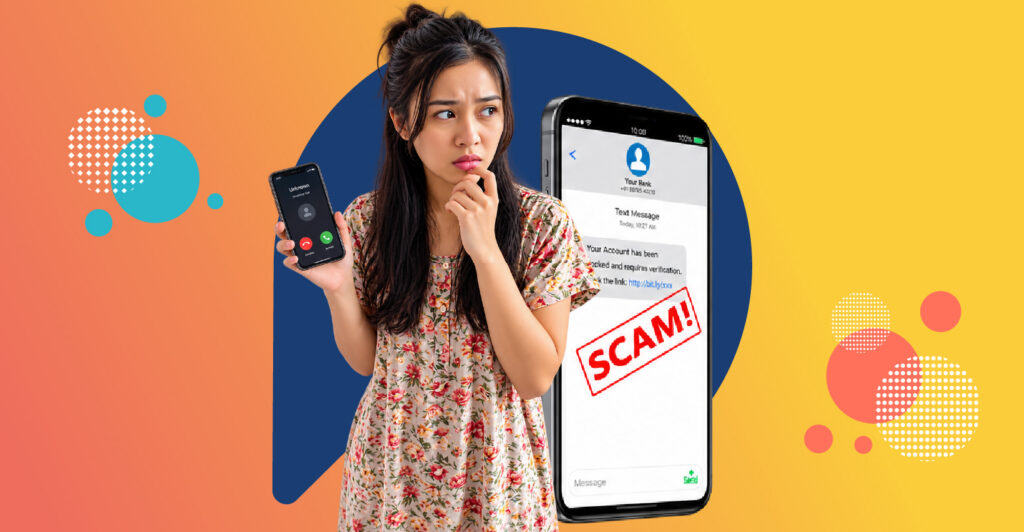
If a message asks for your OTP, asks you to transfer money, tells you to install an app from a link, or promises returns that sound too good to be true, stop and check before you do anything.
Already sent money to a scammer? Go straight to “What to do when someone scams you online” below and call your bank now.
Online scams are now part of everyday life in Indonesia. By August 2026, OJK’s Indonesia Anti-Scam Centre (IASC) had received 668,441 reports of scams since it began operating. This guide shows you how to spot the warning signs, the most common scams to watch for, and exactly where and how to report them.
How to spot online scams: 8 warning signs
Most online scams follow the same patterns. If you notice any of these, slow down.
- Urgency or threats. For example: “Your account will be blocked in one hour unless you confirm your details.”
- A request for your OTP, PIN or password. Banks and e-wallets never ask for these. Anyone who does is a scammer.
- An .apk file or unknown link. For example: “Open this wedding invitation” or “Check your parcel delivery here.”
- Returns that are too good to be true. Fixed daily profits or “guaranteed” investment returns are a classic sign of fraud.
- Payment to a personal account. A real business uses a company account or an official checkout, not someone’s personal bank account.
- Moving the conversation elsewhere. A seller or “agent” who asks you to leave a marketplace and continue on WhatsApp or Telegram is removing your protection.
- Upfront fees. Paying to get a job, a loan or a prize is almost always a scam.
- Pressure to keep it secret. “Don’t tell your family” is a warning sign, not a friendly request.
Common online scams in Indonesia and how to avoid them
APK files sent on WhatsApp
How it works: You receive a file that looks like a wedding invitation, a courier notice or a bill. It is actually an .apk app. Once installed, it can read your SMS messages and OTPs, giving scammers access to your bank or e-wallet.
How to avoid it: Never install apps from files sent in chats. Only download apps from Google Play or the App Store, and keep “install unknown apps” switched off in your phone settings
Fake bank or e-wallet customer service
How it works: Scammers set up fake customer service accounts on social media or call you pretending to be from your bank. They offer to “help” with a complaint or a blocked account, then ask for your OTP or ask you to install a remote-access app.
How to avoid it: Contact your bank only through its official app or the number on the back of your card. Real bank staff will never ask for your OTP, PIN or password.
Part-time "task" job scams
How it works: You’re offered easy money to like videos, follow accounts or rate products. The first few small payments are real, to build trust. Then you’re asked to deposit money to “unlock” bigger tasks, and that money disappears.
How to avoid it: A real job never asks you to pay to work. If a job requires a deposit, walk away.
Illegal online loans
How it works: Unlicensed lenders offer fast cash with few checks, then charge hidden fees and harass borrowers or their contacts to collect payments.
How to avoid it: Only borrow from lenders licensed by OJK, and never give a loan app access to your contacts or photos.
Fake investments and trading
How it works: Schemes promise guaranteed profits from crypto, forex or “exclusive” trading signals, often promoted by influencers or in private groups.
How to avoid it: Check whether the company is licensed by OJK,
Online shopping and marketplace scams
How it works: Buyers are lured by very cheap prices and asked to pay outside the platform. Sellers receive fake transfer screenshots and ship goods that were never paid for.
How to avoid it: Always pay through the marketplace’s own checkout, and as a seller, confirm payment in your bank account before shipping.
Romance scams
How it works: Someone builds an online relationship over weeks or months, then asks for money for an emergency, a trip or an investment. OJK has noted love scams as one of the common methods scammers use.
How to avoid it: Never send money to someone you haven’t met in person, however close you feel. Talk to family or friends if someone online starts asking for money.
How to prevent online scams: 10 habits
- Never share an OTP, PIN or password with anyone, including people who say they’re from your bank.
- Install apps only from Google Play or the App Store.
- Turn on two-factor authentication for WhatsApp, email and banking apps.
- If someone asks for money, call them back on a number you already know.
- Pay only through official checkouts and company accounts.
- Check investments and lenders against OJK’s list of licensed companies.
- Keep your phone’s operating system and apps up to date.
- Don’t click links in unexpected SMS, email or chat messages.
- Set transaction limits and notifications in your banking app.
- Talk to older family members about common scams; they are often targeted.
Take our quick survey and tell us which scam tactics you’ve encountered online and how you stay protected.
What to do when someone scams you online: the first hour
Speed matters. The sooner you act, the better the chance that money can be stopped.
- Call your bank or e-wallet immediately. Use the number in the official app or on your card. Ask them to block the transaction and the recipient’s account.
- Report to IASC at iasc.ojk.go.id, attaching your transaction proof. Reports made through IASC can also be linked to a police complaint.
- Save the evidence. Take screenshots of the chat, the scammer’s account number and phone number, and your transfer receipts.
- Secure your accounts. Change your passwords, log out of other devices, and uninstall any app the scammer asked you to install.
- File a police report if you haven’t already done so through IASC.
- Warn your contacts if your WhatsApp or social media account was taken over.
There is hope: OJK has reported that IASC has blocked scammers’ funds and returned money to some victims. Reporting quickly gives you the best chance.
Where to report online scams
| Where | Use it for | How to contact |
| Indonesia Anti-Scam Centre (IASC), OJK | Scams involving bank or e-wallet transactions | iasc.ojk.go.id |
| Satgas PASTI, OJK | Illegal investments and illegal online loans | sipasti.ojk.go.id |
| Kontak OJK | Questions and consumer complaints | Phone 157 · WhatsApp 081 157 157 157 · konsumen@ojk.go.id |
| Your bank or e-wallet | Blocking transactions and accounts | The number in the official app or on your card |
| Police | Criminal reports | Your local police station or the police’s official online channels |
Be careful of fake help. OJK has warned about fake websites and people pretending to represent IASC. Only use the official addresses above.
How to report online scams to IASC, step by step
- Go to the official IASC website, iasc.ojk.go.id.
- Choose the option to submit a new report.
- Fill in your personal details.
- Enter the transaction details: date, amount, your account and the recipient’s account.
- Upload your evidence, such as transfer receipts and chat screenshots.
- Submit the report and save your report number for follow-up.
What Indonesians say
We’re asking readers across Indonesia about their experience with suspicious messages.
Have you received a message you suspected was a scam in the past month?
- Yes, more than once
- Yes, once
- No
- Not sure
This poll never asks for your account or financial details.
Share your opinions on digital life and everyday trends with Panel Station. Discover Trends. Share Opinions. Earn Rewards.
CURIOUS HOW PANEL STATION WORKS?
Panel Station is where people discover trends, share opinions on everyday life and earn rewards.
FAQs
1. Where do I report an online scam in Indonesia?
If the scam involved a bank or e-wallet transfer, contact your bank immediately and report to OJK’s Indonesia Anti-Scam Centre at iasc.ojk.go.id with your transaction proof.
2. Can I get my money back after an online scam?
Sometimes. IASC can ask banks to block scammers’ accounts, and OJK has reported returning funds to some victims. The faster you report, the better your chances.
3. Is it safe to open an .apk file sent on WhatsApp?
No. An .apk file can install an app that reads your messages and OTPs. Delete it, and only install apps from official app stores.
4. How do I check if an investment or loan app is legal?
Check whether the company is licensed by OJK, and report suspicious offers to Satgas PASTI at sipasti.ojk.go.id.
5. Will IASC or OJK contact me first?
Be careful. OJK has warned about fake websites and people pretending to represent IASC. Contact OJK only through its official channels.