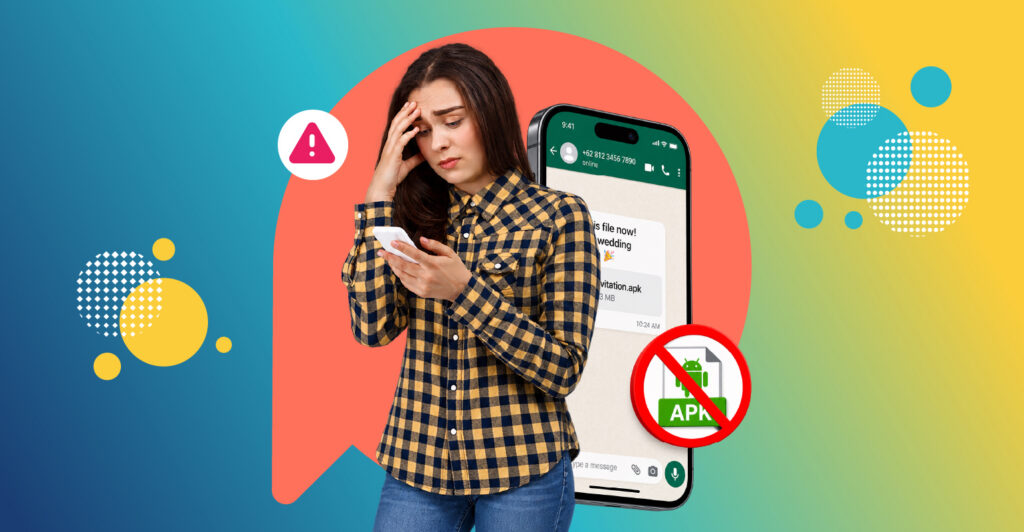
WhatsApp scams in Indonesia often look ordinary: a wedding invitation from an unknown number, a photo of a parcel from a courier, a notice from your bank. Some arrive as an .apk file, which is an Android app. Installing it can give a scammer access to your SMS messages, including the one-time codes your bank sends. Two habits prevent most of these scams: never install an app sent to you in a chat, and never share a code sent to your phone. This guide explains how the scams work, how to spot them, how to secure your account, and what to do and where to report if you’ve been caught.
Scammers use WhatsApp because so many people use it every day, messages from unknown numbers look just like messages from friends, and a hacked account lets them message all of its contacts with the same trap.
How Whatsapp APK scams work
An APK is the file format for apps on Android phones. Apps from the Google Play Store are checked before you can install them; an APK sent in a chat isn’t. A typical APK scam follows five steps:
- The message arrives. It comes from an unknown number, or from a friend whose account has already been hacked, with a file named something like an invitation, a parcel photo or a bill.
- Your phone warns you. Android normally blocks apps from outside the Play Store and asks whether to allow installing from this source. This prompt is your best chance to stop the scam. Tap Cancel.
- The app asks for permissions. If installed, it asks to read SMS messages or notifications, or for accessibility access, often with an excuse such as “needed to view the invitation”.
- Your codes are forwarded. The app quietly sends incoming SMS messages, including one-time passwords (OTPs), to the scammer.
- Accounts are taken over. With your codes, the scammer can log into mobile banking or e-wallets, or take over your WhatsApp and send the same file to your contacts.
APK files run only on Android. iPhone users can’t install them, but they can still be caught by phishing links and other tricks below.
Whatsapp Scams: The disguises to watch for
Scammers choose disguises you’ll want to open quickly. Commonly reported examples in Indonesia include:
- Digital wedding invitations (undangan pernikahan digital). A file presented as an invitation, often from an unknown number.
- Courier receipts or parcel photos (resi or foto paket). A message claiming to be from a delivery driver, asking you to check a photo of your package.
- Bank notices. Messages about a new transfer fee or an account change, either with a file or a link to a fake bank page that asks for your login.
- Bills and fines. Files presented as a tax, utility or traffic fine notice.
The disguise changes often, so don’t rely on remembering specific file names. Rely on the rule: an app sent in a chat is never an invitation, a receipt or a bill.
Signs of a scam APK file
Stop if you see any of these:
- The file name ends in .apk, even if it’s called an invitation, photo or document.
- It comes from a number you don’t know, or from a friend sending something unusual without explanation.
- The message creates urgency: “open now”, “your package is waiting”, “your account will be blocked”.
- Opening it triggers a warning about installing apps from unknown sources.
- The app asks for access to SMS, notifications or accessibility features that an invitation or photo would never need.
A real invitation is usually a link to a known website or an image file (.jpg, .png) or a PDF, not an app.
Other common WhatsApp scams
APK files are only one route. These scams rely on persuading you to send money or share a code.
"I sent my code to you by mistake"
Someone, often a hacked friend’s account, says they accidentally sent a six-digit code to your number and asks you to forward it. That code is the WhatsApp registration code for your number. Sharing it lets them take over your account. WhatsApp never needs you to send that code to anyone.
Family emergency from a new number
A message says “Hi Ma, this is my new number” or similar, followed by an urgent request for money or phone credit. Call the person on their old number, or ask a question only they would know, before sending anything.
Job offers
Offers of easy part-time work, such as liking videos or rating products, pay small amounts at first to build trust, then ask you to deposit money to unlock larger tasks. Genuine employers don’t ask you to pay to work.
Video call scams
An unknown number video-calls you. In one version, the scammer records the call and edits it into a compromising video, then demands money not to share it. In another, someone poses as a police officer or official on camera. Don’t answer video calls from unknown numbers. If you’re threatened, don’t pay; save the evidence and report it.
Romance and dating scams
A stranger builds a friendly or romantic relationship over weeks, then asks for money for an emergency, a trip to meet you, or an “investment”. Be cautious of anyone you haven’t met in person who steers the conversation towards money.
Fake business accounts
Scammers copy the name and logo of a bank, shop or delivery company and pose as customer service. Check the business’s official contact number on its website or app before replying, and never share passwords, PINs or OTPs with “customer service”.
Fake surveys and prizes
- Messages promise cash or prizes for answering a quick survey, then ask for a fee, your bank details or a code to “claim” the reward. Genuine survey and research companies never ask for OTPs, PINs, bank passwords or upfront payments. Take part in surveys only through the company’s official website or app. Panel Station will never ask for these details or send you survey links through WhatsApp messages.
How to secure your WhatsApp and phone
A few settings block most account takeovers. Menu names can vary slightly between app versions
In WhatsApp:
- Turn on two-step verification. Go to Settings > Account > Two-step verification and set a PIN. Even if someone gets your registration code, they’ll also need this PIN.
- Check linked devices. Go to Settings > Linked devices and log out of anything you don’t recognise.
- Control who can add you to groups. In Settings > Privacy > Groups, choose “My contacts” to stop strangers adding you to scam groups.
- Silence unknown callers. In Settings > Privacy > Calls, turn on “Silence unknown callers” to block surprise video calls from strangers.
On your Android phone:
- Keep “Install unknown apps” off. In your phone’s settings, make sure WhatsApp, your browser and file manager aren’t allowed to install apps.
- Keep Google Play Protect on, and install apps only from the Play Store.
- Update your phone and apps when updates are available.
For your money:
- Turn on transaction notifications in your banking and e-wallet apps, so you see any payment immediately.
- Set daily transfer limits where your bank allows it.
HAVE YOU RECEIVED A SUSPICIOUS MESSAGE LATELY?
Share how you spot and handle scam messages with Panel Station, and take part only through Panel Station’s official channels.
What to do if you've been scammed
Act fast; the first hour matters most.
- Call your bank immediately using the number on your card or in the official app, and ask them to block your accounts, cards and e-wallets.
- Disconnect your phone. Turn on flight mode to stop the app sending more codes.
- Remove the app. Go to Settings > Apps, find anything you don’t recognise, and uninstall it. Run a Play Protect scan. If you’re not sure the phone is clean, ask a phone service centre or consider a factory reset after backing up your photos.
- Change passwords and PINs for banking, e-wallets and email, ideally from a different device you trust.
- Secure WhatsApp. Log out of unknown linked devices, re-register WhatsApp on your number if needed, and turn on two-step verification.
- Warn your contacts that any strange messages from your account aren’t from you.
- Keep evidence: screenshots of messages, the scammer’s numbers, and transaction details.
Where to report a scam in Indonesia
Report the scam even if you didn’t lose money; it helps block the number and account for others.
- In WhatsApp. Open the chat, tap the contact name, then Report and block.
- Your bank or e-wallet provider. Through its official call centre, to block accounts and start a dispute.
- Indonesia Anti-Scam Centre (IASC). Run by the Financial Services Authority (OJK), for reporting financial scam losses so that accounts can be traced and blocked quickly.
- Phone number reporting. The government’s number-reporting service (aduannomor.id), to report numbers used for fraud.
- Bank account checks. cekrekening.id, to check whether an account has been reported for fraud before you transfer money, and to report one.
- Police. The National Police cybercrime unit’s portal (patrolisiber.id), or your nearest police station.
Your next step
Take two minutes now: turn on WhatsApp two-step verification and check that “Install unknown apps” is off. Then tell family members, especially older relatives, the one rule that stops most APK scams: never install an app sent in a chat.
CURIOUS HOW PANEL STATION WORKS?
Panel Station is where people discover trends, share opinions on everyday life, and earn rewards.
FAQs
1. Is my phone infected if I only downloaded an APK file but didn't install it?
Usually not. An APK file can’t do anything until it’s installed. Delete the file from your Downloads folder and from the WhatsApp chat. If you saw a prompt to install it and aren’t sure what you tapped, check Settings > Apps for anything you don’t recognise and run a Play Protect scan.
2. Are iPhones safe from APK scams?
iPhones can’t install APK files, so that specific trick doesn’t work on them. iPhone users are still targeted by phishing links, fake customer service accounts and requests to share OTP or WhatsApp codes, so the same caution applies.
3. Can my WhatsApp be hacked just by answering a call?
For most people, the bigger risk isn’t the call itself but what the caller persuades you to do: share a code, install an app or send money. Keep WhatsApp updated so any known security fixes are applied, and don’t answer video calls from unknown numbers.
4. A friend sent me a strange file or link. What should I do?
Don’t open it. Contact your friend another way, by phone or in person, to check whether they really sent it. If their account has been taken over, tell them to follow the steps in this guide to secure it.
5. Will my bank refund money lost to a scam?
It depends on the bank, the type of transaction and how quickly you report it. There’s no guarantee, but reporting immediately to your bank and to the Indonesia Anti-Scam Centre gives the best chance of blocking the money before it is moved on.
6. Does WhatsApp ever ask for my verification code?
No. WhatsApp sends a six-digit code by SMS or call only when you register your number on a phone. No one from WhatsApp, a bank or any other company needs that code, and anyone asking for it is trying to take over your account.